
 EN
EN Français
 Italiano
 Español
 العربية
 Português
 Deutsch
 Nederlands
From a blank page to an online tournament in 5 steps.
These are real application screens. Prepare, check, then share.
Choose the sport first: TournoiFacile then adapts entries, playing resources, structure, programme and results. The screenshots illustrate the team engine; swimming and chess use dedicated native consoles.
One football tournament, from setup to the public page. Real club badges; demonstration tournament and results.
Demo- 01
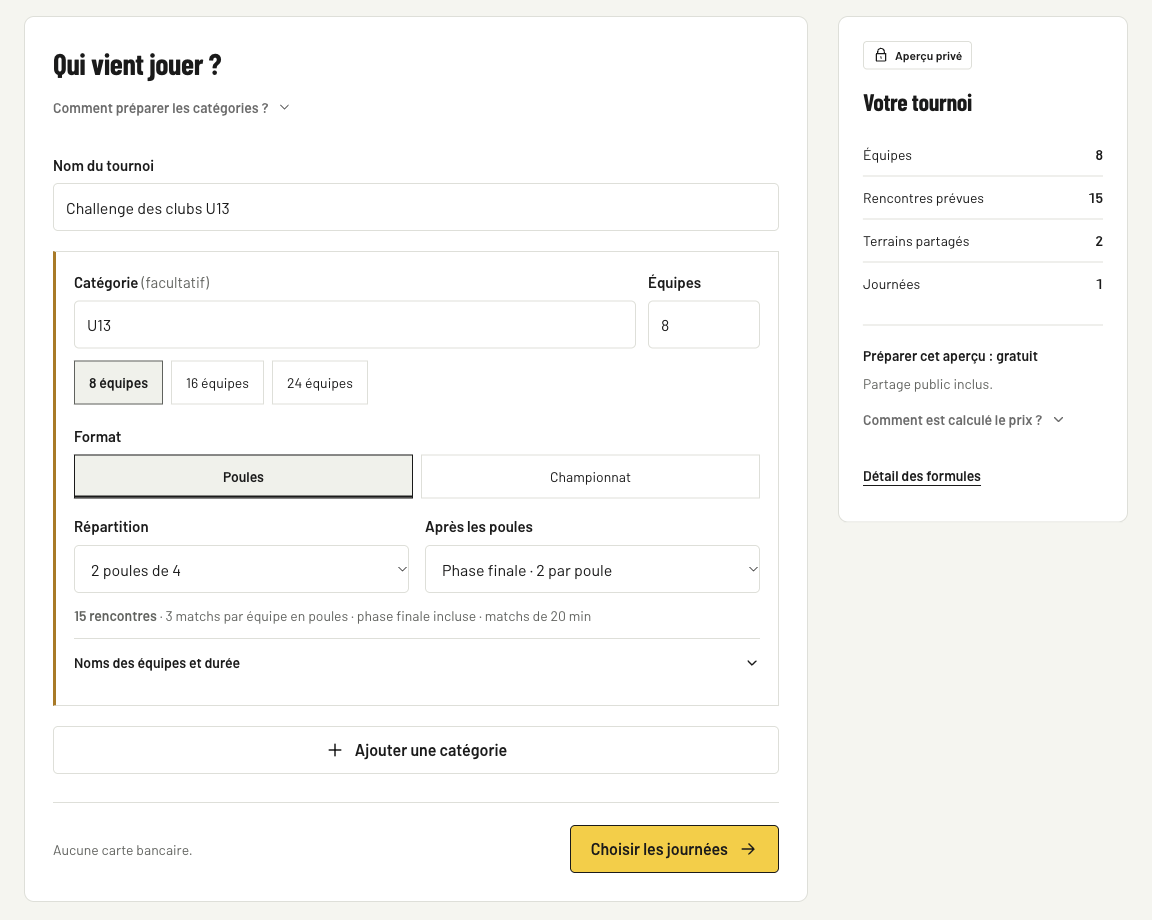
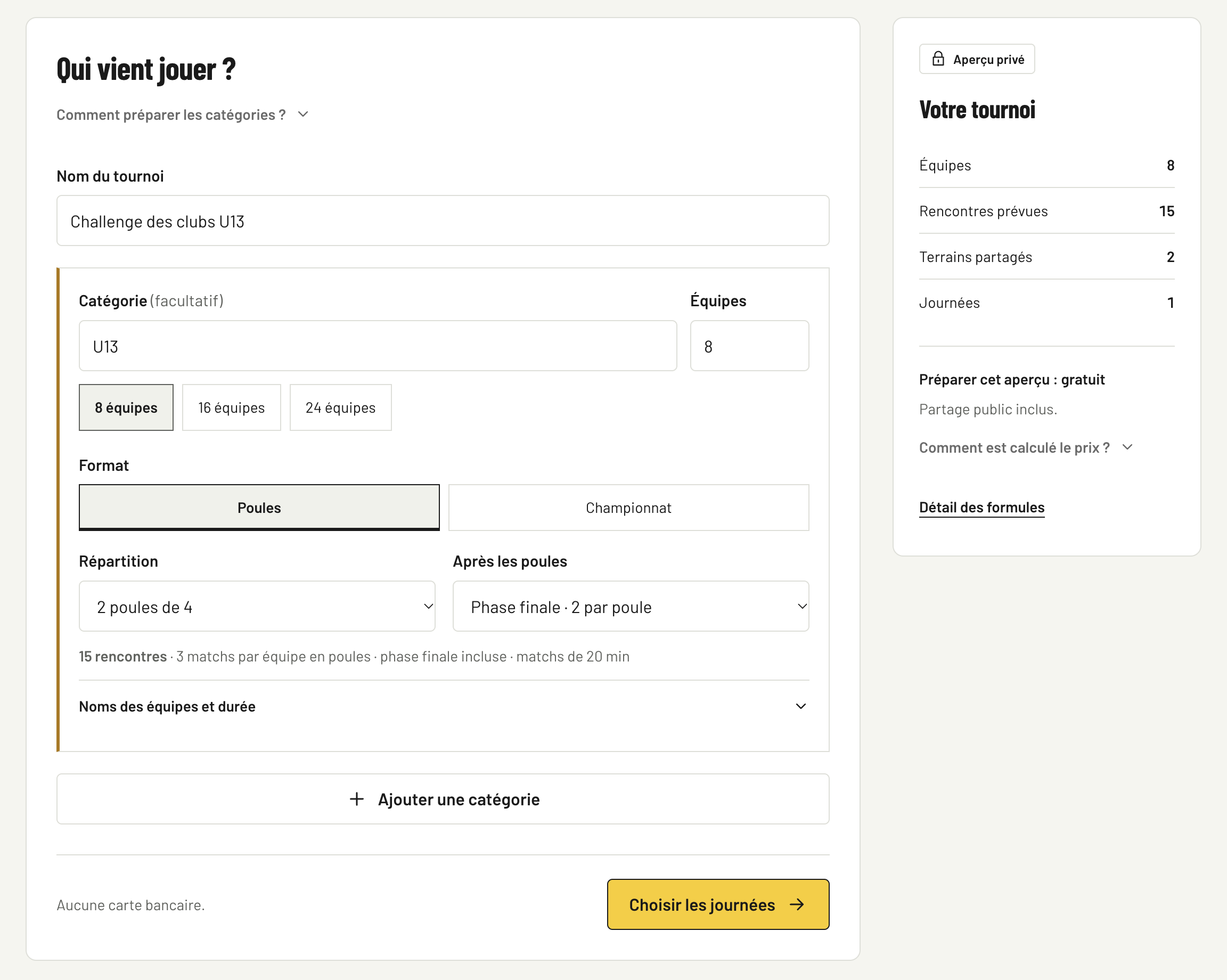
Create your tournament in 60 seconds.
Enter the basics: name, sport, dates, location and format. You instantly get the workflow designed for that sport.
- Choose the sport and main format.
- Add the relevant playing resources.
- Prepare rules before registrations.
- Keep the tournament as draft until ready.
 View full size · new tab
 - 02
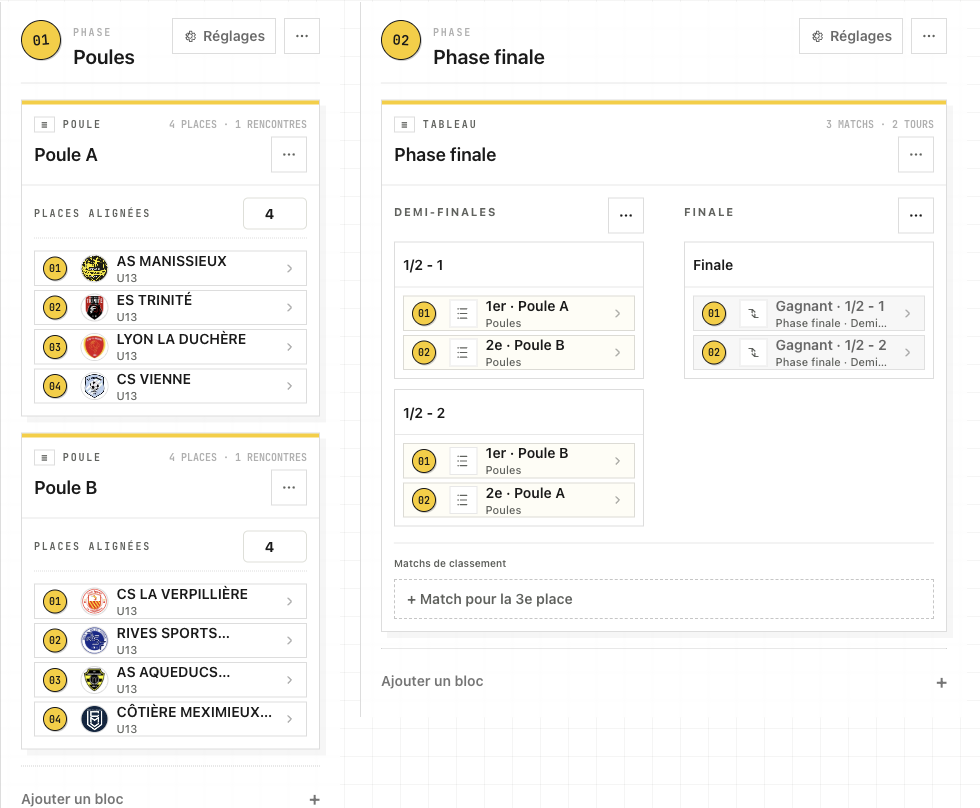
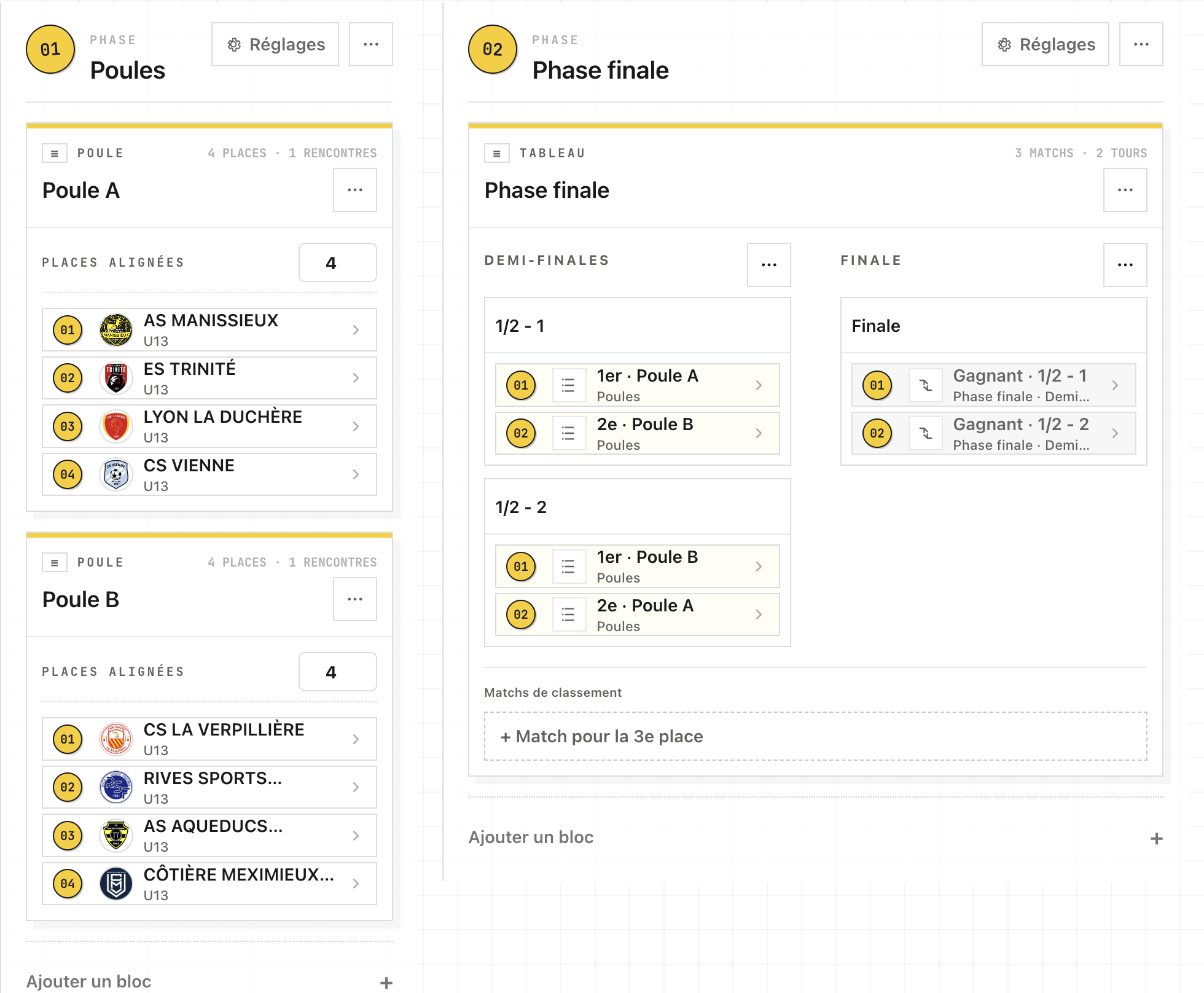
Generate the appropriate structure.
Build groups and brackets, chess rounds or swimming sessions according to the selected sport.
- Groups and qualification when relevant.
- Rounds, brackets or sessions adapted to the sport.
- Seeding and ordering controls where available.
 View full size · new tab
 - 03
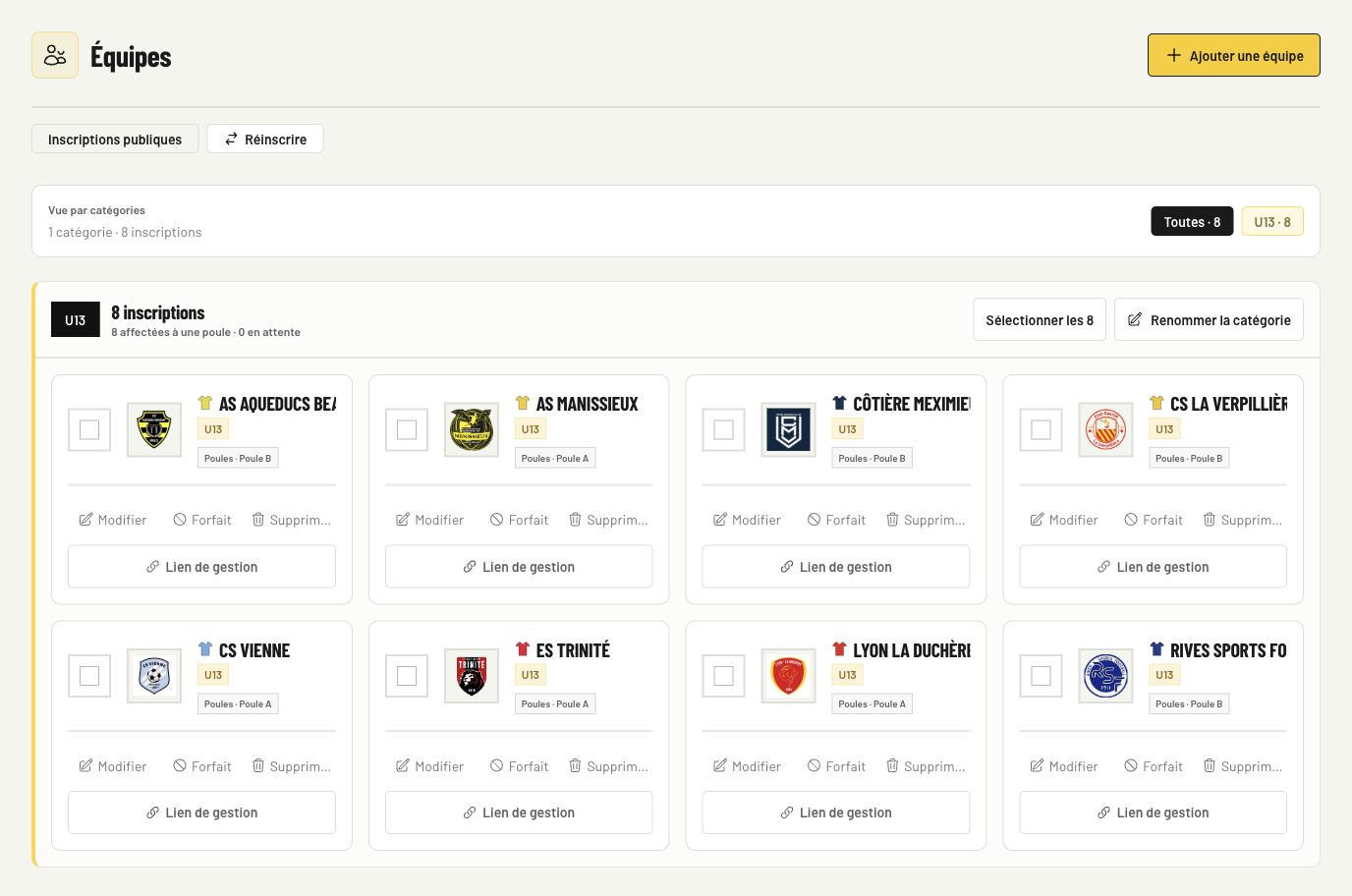
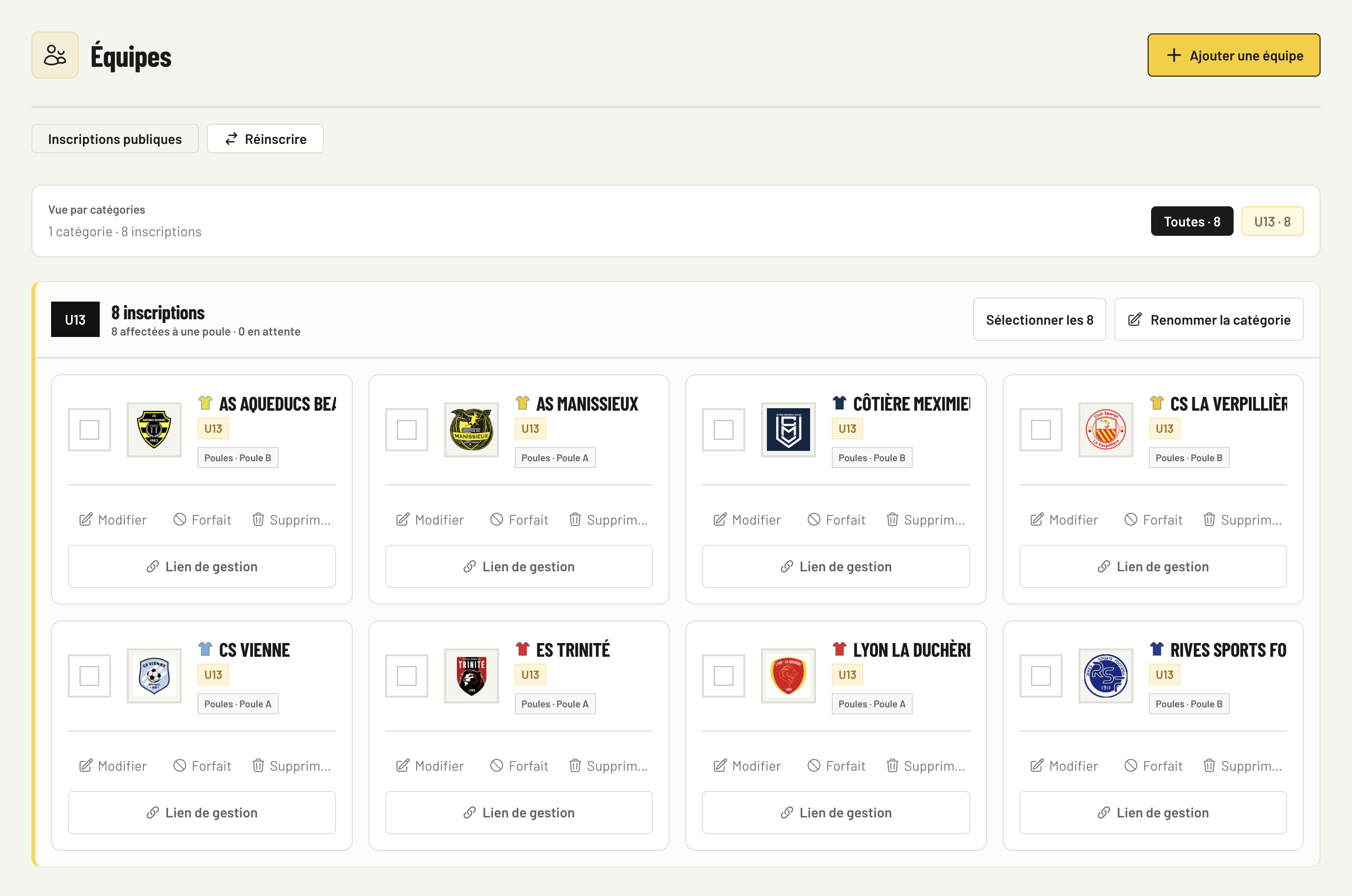
Register participants or teams easily.
Add the entries required by the sport, correct names and keep a clean list for event day.
- Manual entry of participants or teams.
- Clean preparation before the structure is generated.
- Names displayed clearly in the appropriate format.
- Ready for public schedules.
 View full size · new tab
 - 04
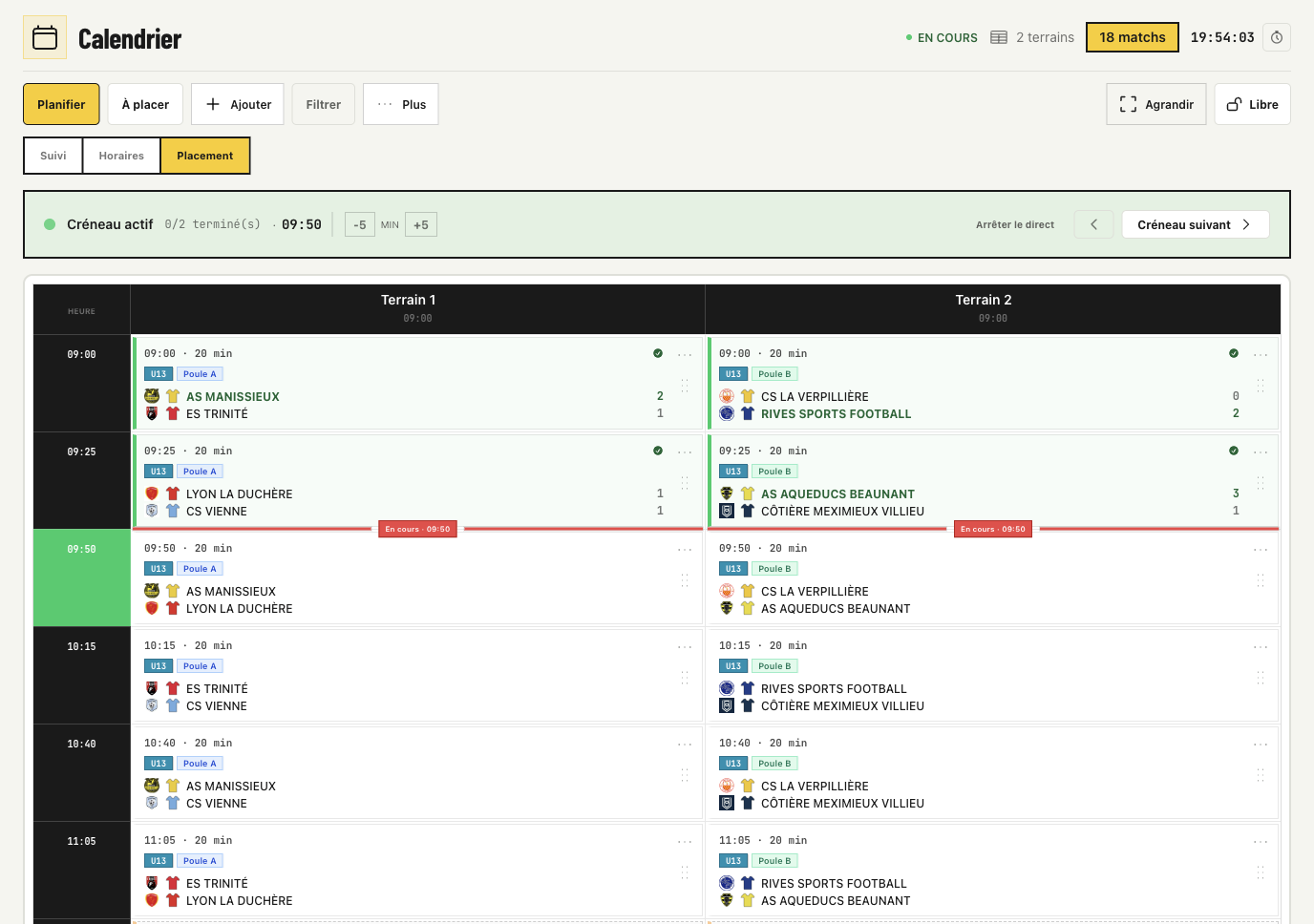
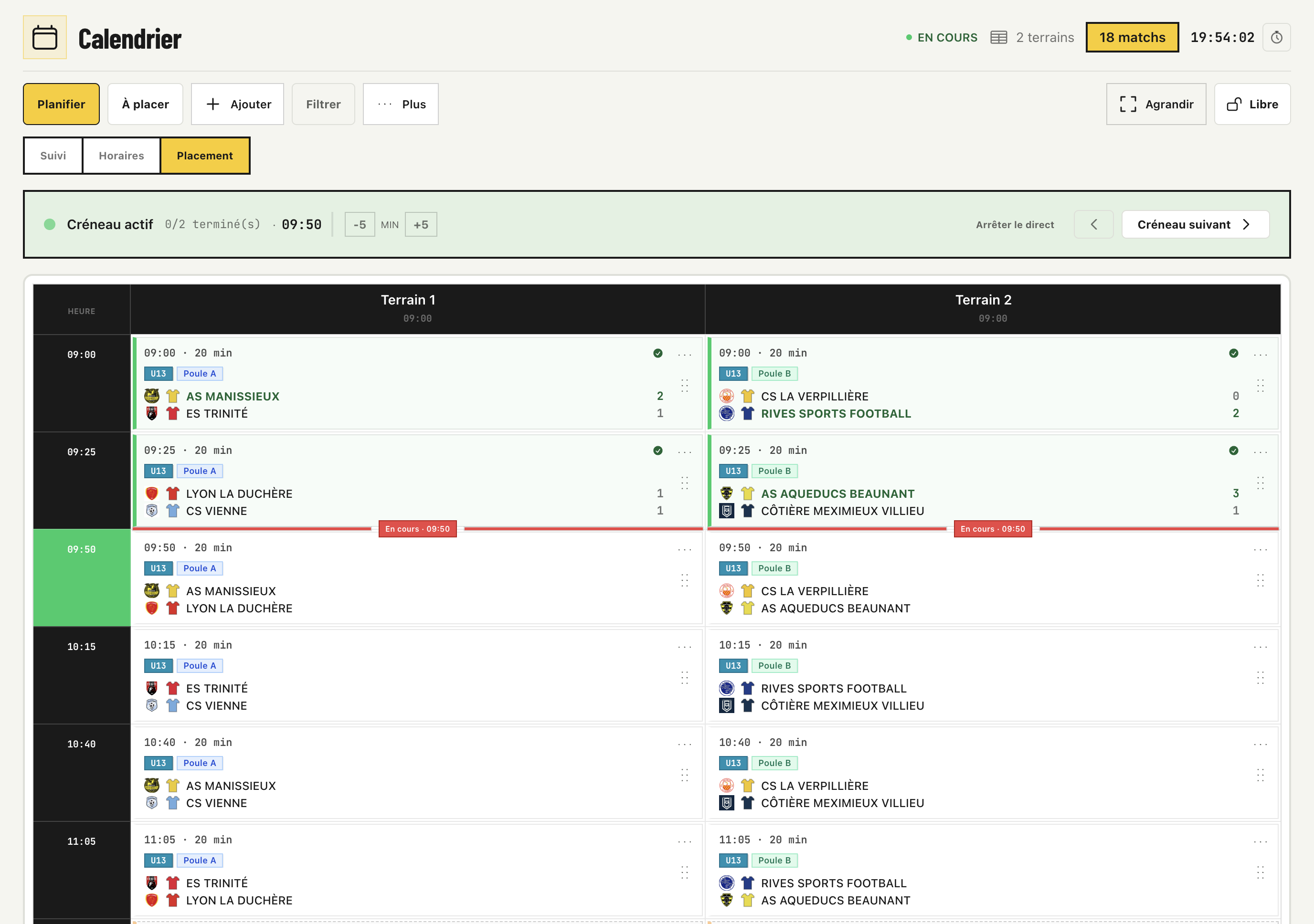
Prepare the programme without stress.
Spread encounters or sessions across available spaces and time slots so the programme is clear to everyone.
- Slots by playing resource.
- Clearer rotations.
- Breaks and sequences visible.
- A clear public programme.
 View full size · new tab
 - 05
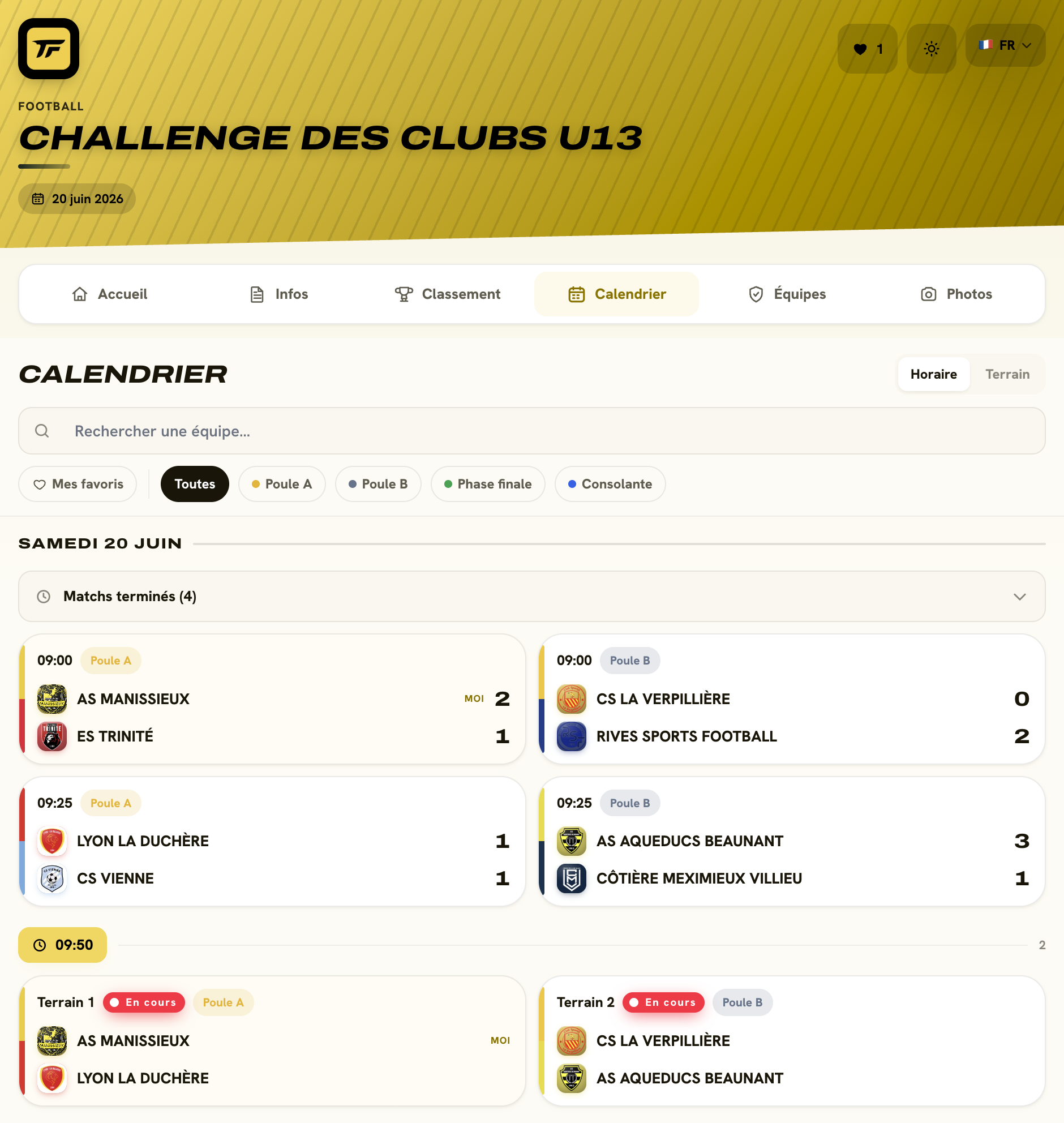
Follow live on any screen.
On event day, authorized people enter scores, times or results and the public follows the published pages.
- Mobile result entry.
- Updated rankings.
- Clear public page.
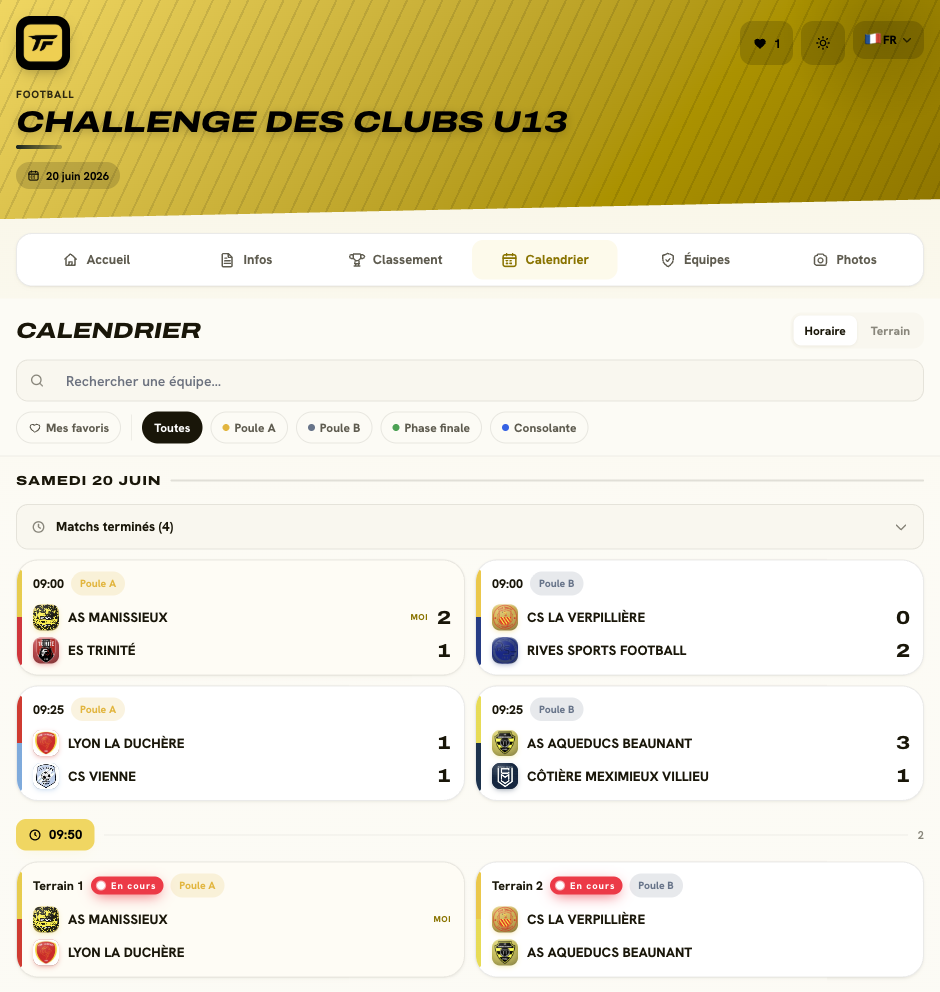 View full size · new tab
Close and export in one click.
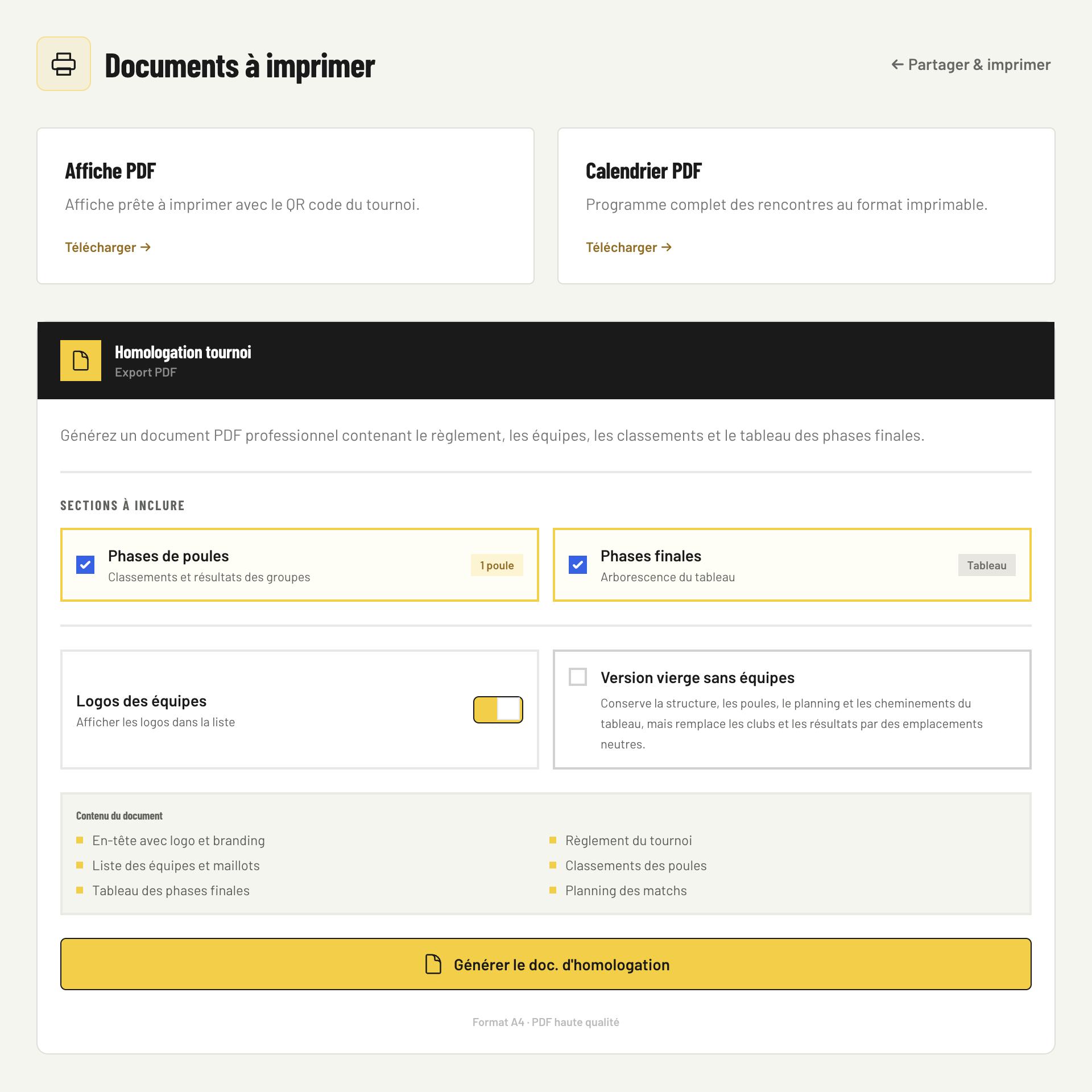
When the tournament is done, keep results, share the summary and export important information.
- Results saved.
- Useful organization exports.
- Tournament history available.
 View full size · new tab
Questions we are asked often
HelpIs everything automatic?
The platform assists with the structure, programme and public pages, while you keep control of the sport-specific settings.
Can I edit a tournament after creation?
Yes. Until locked, you can adjust entries, playing resources, times and settings.
Do officials and area managers need a full account?
Not in the general engine. They can use focused screens for their assignments and result entry. Native workflows provide their own authorized access.
Is the public page mobile-friendly?
Yes. It is designed for participants, supporters and organizers on phones.
Can I export results?
Yes, eligible plans include useful exports for sharing or keeping competition records.
Ready to prepare your next tournament?
Create a free account, prepare your tournament and make sure the format fits before upgrading.
Create my free tournament